Volleyball waiver solution
Collect and store signed waivers and documents online
Name your waiver and choose how players sign it. Next, upload or paste the waiver and share it for signing.
- Free plan, no credit card
- Players sign on their phone
- Print or download signed copies
Online volleyball waivers and liability release forms
Paste your waiver text or upload the document you use today, then choose how players sign it.
-
Online waiver signatures
Players check a box, type their name, or type their initials on a phone or computer. Nothing to print, scan, or collect at the field.
-
Upload completed documents
For a form signed on paper, such as a medical clearance, players upload a photo or PDF of the signed copy. A manager verifies or rejects each one.
-
Waivers during registration
Attach a waiver to a registration, membership, or booking page, and players sign it as part of signing up.
-
A sign link for any waiver
Share a waiver's own page to collect signatures outside registration, such as from volunteers or for a one-day event.
-
Returning players sign once
A player who has signed can reuse that signature for later registrations, memberships, and bookings. Turn reuse off to ask for a new signature each time.
-
Signed waiver records
Search every signature, print a signed copy, or download them as a CSV. Uploaded files stay private to the signer and your staff.
Signed online, kept on file
Players sign from their phone, and every signature is on file in your dashboard.
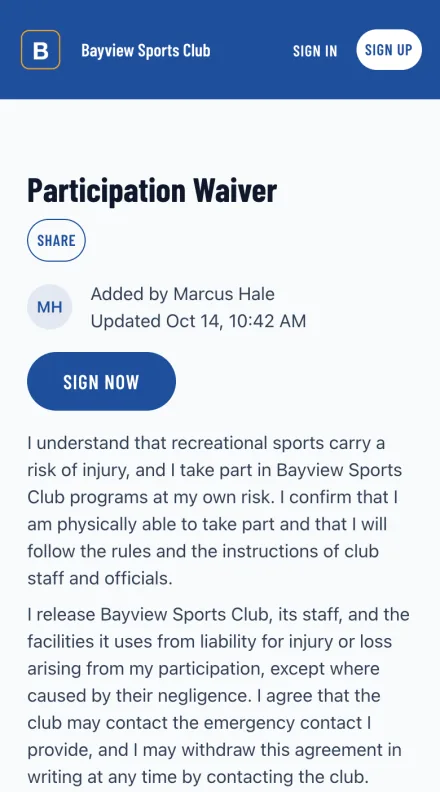
Signing is one page and one box
Your waiver text, the organization it belongs to, and a box to sign it. Nothing to print, scan, or carry to the field.
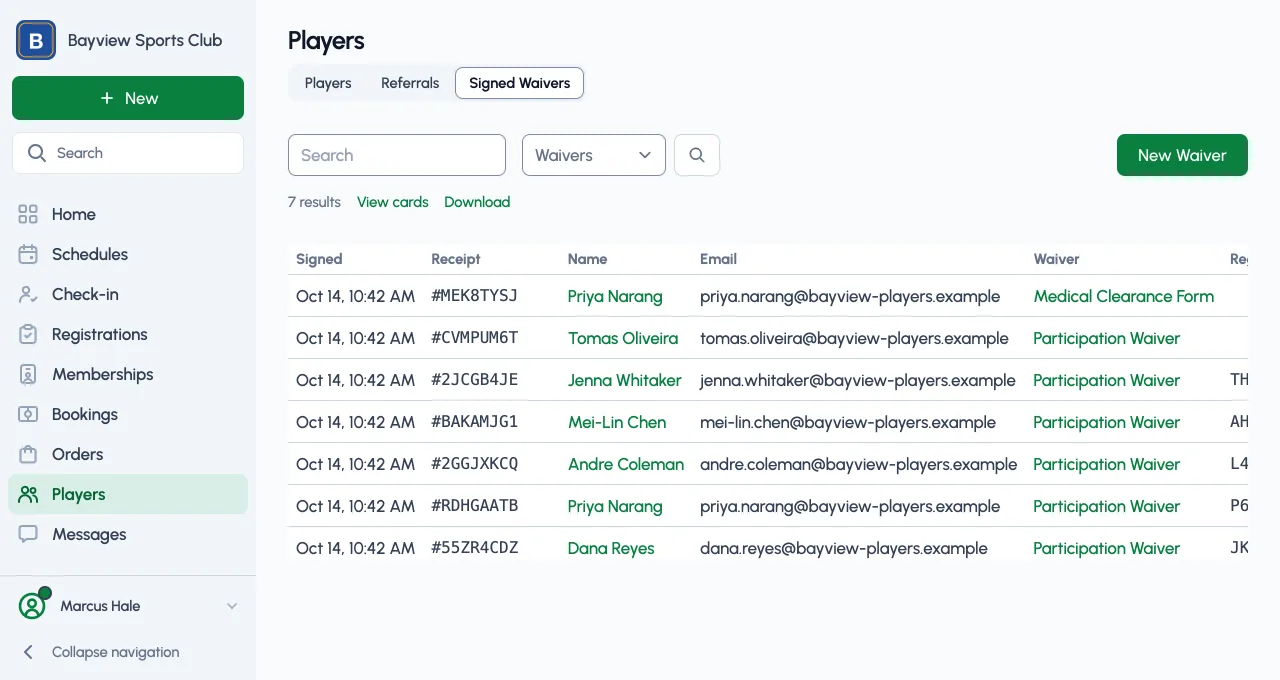
Every signature in one table
Who signed, which waiver, when, and the registration it came with. Search it, download it, or print a signed copy.
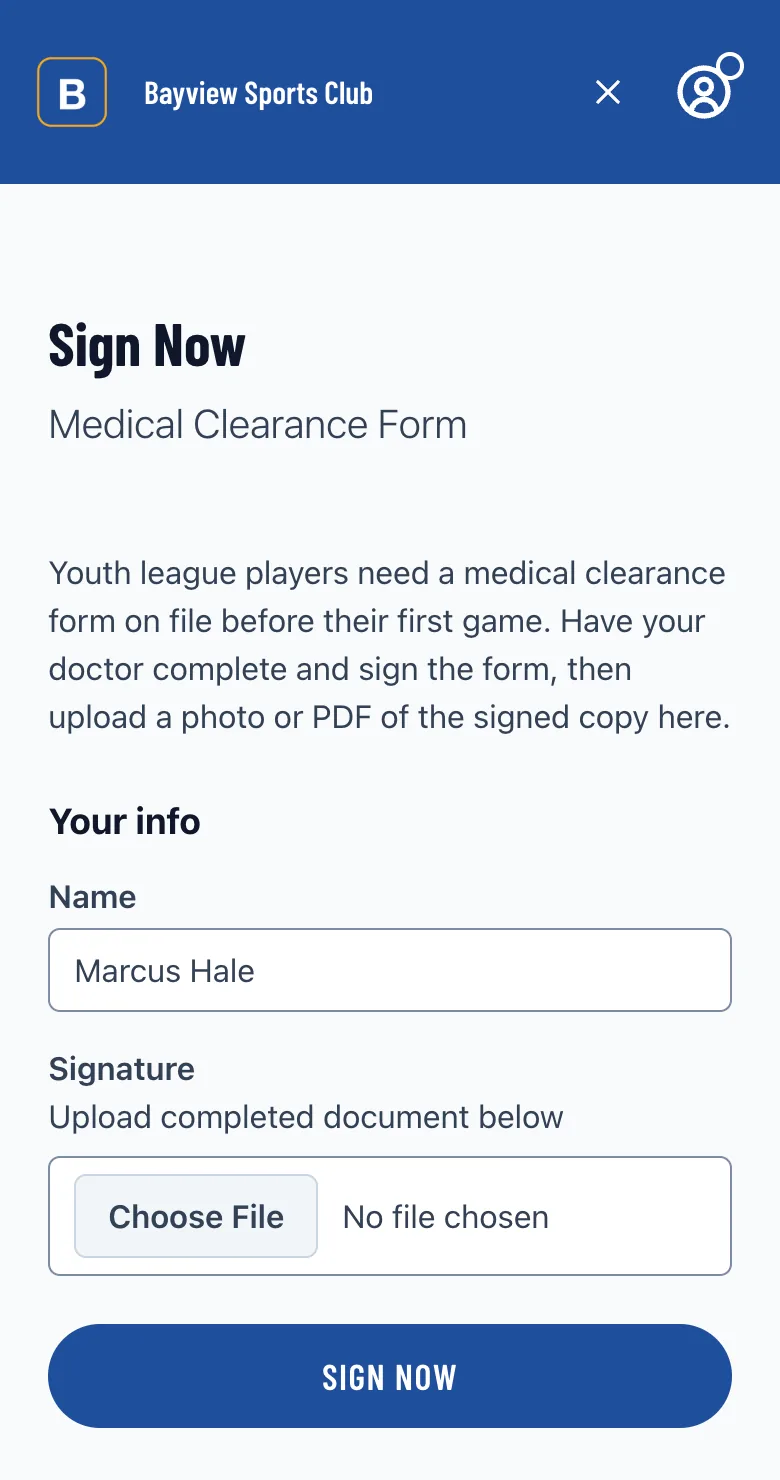
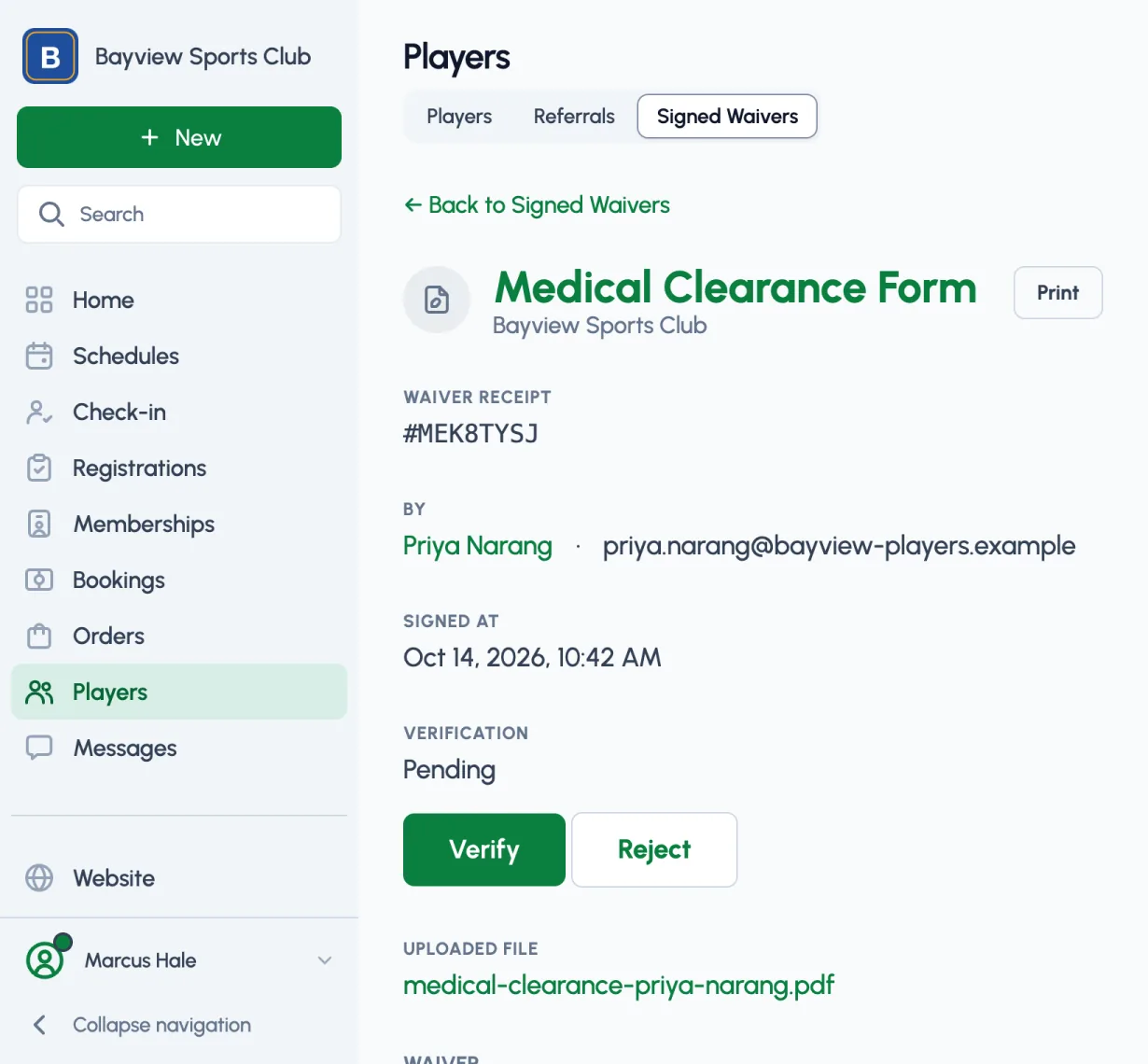
Uploads wait for your check
When a waiver is signed by upload, the player attaches the completed document. It stays pending until a manager opens the file and verifies or rejects it.
What organizers say
One organizer, in their own words. See who uses Playpass
“All our registrations and waivers run on Playpass. It's been a game-changer in terms of time-savings.”
Online volleyball waiver features
-
Paste your waiver text or upload the document you already use
-
Signatures by checkbox, typed name, or typed initials
-
Completed documents uploaded as a JPG, PNG, GIF, PDF, or DOC, for a manager to verify or reject
-
Waivers attached to registrations, memberships, and booking pages
-
A sign link for each waiver, to collect signatures on their own
-
Waivers linked from your schedules and website pages
-
Returning players reuse an earlier signature, or sign each time
-
Phone number, birth date, or gender required from signers
-
Search and filter every signed waiver online
-
Print a signed copy or download signatures as a CSV
-
Name, text, and signing method locked after the first signature
-
Uploaded files kept private to the signer and your staff
-
Looking for a feature? We release updates regularly. Let us know
Common questions
Is the waiver solution free?
Yes. The Free plan keeps one live waiver at a time, with no limit on signatures and no credit card. Paid plans start at $9/month for more live waivers.
How do players sign?
They check a box, type their name, or type their initials, depending on the method you choose. For a form that needs a signature on paper, players upload a photo or PDF of the signed copy instead.
Can players sign during registration?
Yes. Attach a waiver to a registration, membership, or booking page and players sign it as they sign up. You can also share the waiver's own link to collect signatures on their own.
Do returning players sign again?
Only if you want them to. A player who has signed a waiver can reuse that signature for later registrations, memberships, and bookings. Turn reuse off for a waiver to ask for a new signature each time.
How do I check uploaded documents?
Each upload stays pending in your dashboard until a manager verifies or rejects it. Signatures by checkbox, name, or initials count as verified when they're made.
Can I edit a waiver after people sign it?
You can change its settings, but its name, text, and signing method lock after the first signature, so every signature matches the text that was signed. A signed waiver can't be deleted; unpublish it instead.
Free for one live waiver
Collect signatures for free. Upgrade when you need more waivers live at once.
-
Free plan
$0
One live waiver at a time, with no limit on signatures, and one manager.
-
Paid plans
From $9/month
More live waivers at once: 3 on Plus, 10 on Pro, and no limit on Max. New organizations can try Pro free for 14 days.
-
Nonprofits
50% off
Registered nonprofits save on every paid plan, from $4.50/month. Community programs that charge players little or nothing and run mainly on donations or grants can apply to Sports for Good for the Pro plan at no cost.
Use Playpass Free for as long as you want
Everything you need to run your league or tournament