Adding managers and staff members
Invite staff, assign roles, and manage access across Playpass.
How it works
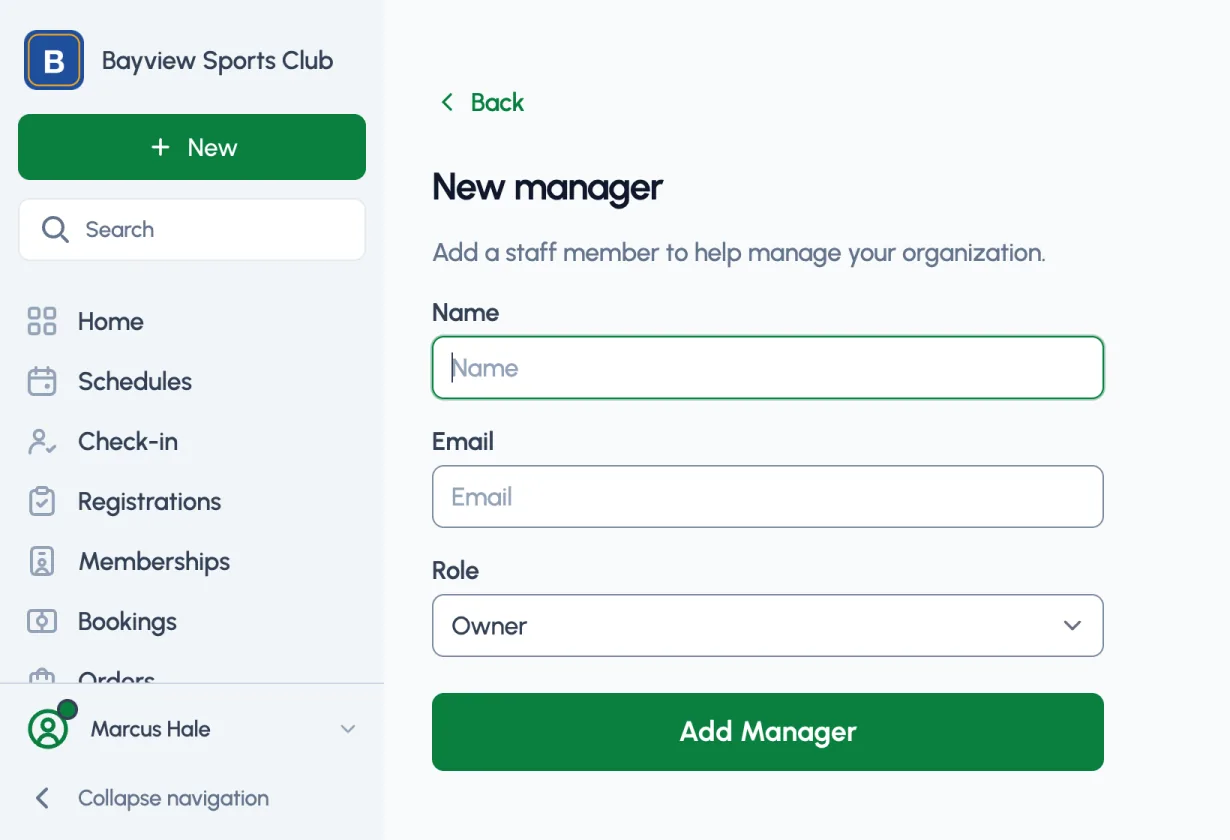
From Dashboard > Settings > Staff click Add Manager to invite anyone to help you manage everything on Playpass.
Manager roles
When you invite staff to join you will assign them a role:
- Scorekeeper - update scores and game notes on all schedules or only schedules you select
- Scheduling Helper - manage schedules
- Registration Helper - manage registration, referrals, and waivers
- Manager - manage organization tools, website content, and staff
- Owner - Manager access plus existing plan changes and owner-only settings
Below are details on what each role can and can't do. Plan limits and protections on paid registrations and signed waivers still apply.
Scorekeeper
Limited access for updating schedule scores and game notes.
When inviting a scorekeeper, choose All schedules or Only selected schedules. All schedules includes schedules you add later. For Only selected schedules, check each league or standalone playoff bracket they should score; a league includes its playoffs. You can change these choices later from the scorekeeper's Staff details. With no schedules selected, the scorekeeper can't score until you select one.
- Record scores on existing Schedules
- Add or update game notes
- Can't edit or create schedules
Scheduling Helper
Limited access to help with everything schedule related.
- Create, edit, and delete Schedules
- Manage Players, but not download the player list
- Can't manage registration tools, website Pages or Uploads, or invite staff
Registration Helper
Limited access to help with everything registration related, including waivers and referrals.
- Fully edit Registration Activities and create new ones
- Manage Registrations and issue refunds, but not download the registration list
- Create Coupons for registration discounts
- Manage your Referral Program
- Create and manage Waivers
- Manage Players, but not download the player list
- Can delete eligible records in registration tools, including activities, coupons, and unsigned waivers
- Can't manage schedules, website Pages or Uploads, or invite staff
Manager
Access to manage organization tools, except the owner-only actions below.
- Create, edit, and delete eligible records across organization tools
- Edit your Homepage, Pages, Uploads, and website design
- Update organization details, contact information, and branding in Settings
- Add more staff members with any role, except "Owner"
Owner
For owners or directors of your organization. Same as Manager except only Owner can:
- Change or cancel an existing Billing plan
- Change the custom website link in Settings, when included in your plan
- Invite another Owner, manage API tokens, or delete the organization
What's next?
- Add your staff members now from Dashboard > Settings > Staff
- Learn about creating a registration activity to accept online registrations
- Learn about setting up online payments with Stripe to accept payments online
- Learn about creating a referral program to reward members for inviting friends
- Learn about creating a schedule for your players and teams
- Learn about creating a waiver template to collect signed documents
- Learn about creating a website page to add more content
Running a league or program?
See how Playpass can help you manage it all