Getting started with Waivers
Create waiver templates and collect signed waivers from players.
Create a waiver template
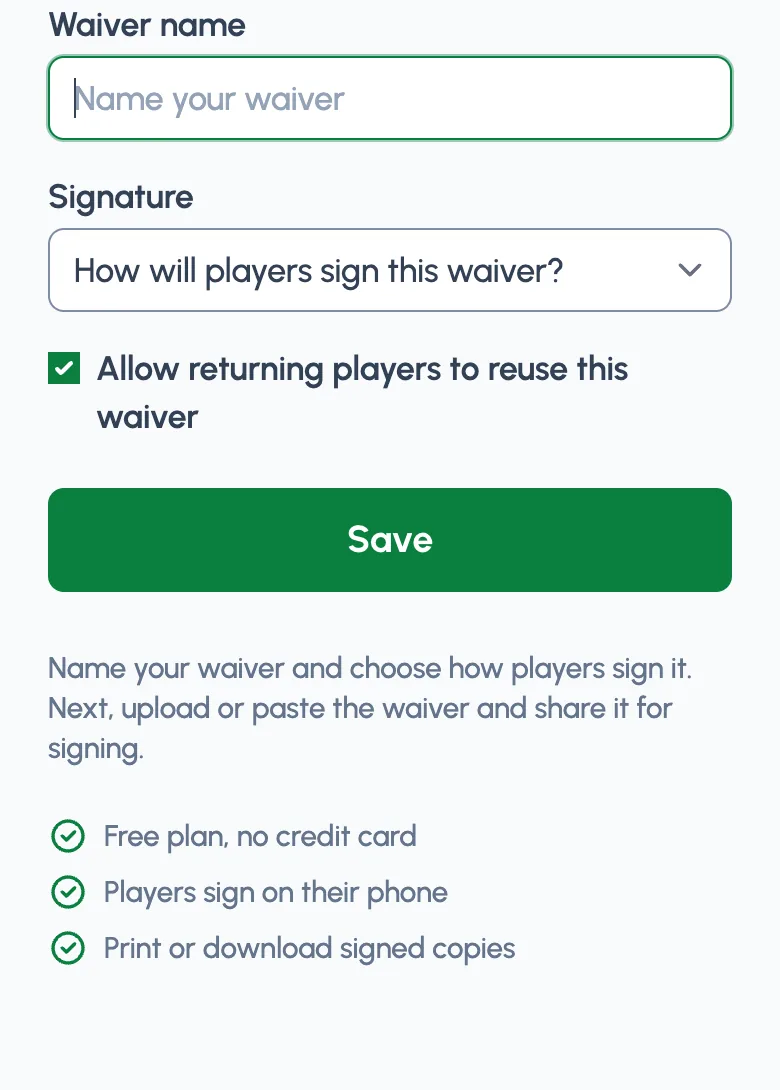
First, create a waiver template by entering a name for your waiver.
Also, decide how you want players to sign or acknowledge your waiver:
- Check a box
- Type their initials
- Type their name
- Upload a signed copy
Upload or paste your content
Next, you'll add the contents of your waiver. You can upload your existing release of liability form or waiver if it is a PDF, DOC, or image file.
Or you can paste the waiver's content online.
Share the waiver
Now share your waiver with players. You can share it directly, or attach it to online registration.
To share it directly click the Share link at the top of your waiver.
Add your waiver to an online registration form
Add as many waivers as you need to registration activities. Then your players will fill out just one form to give you their registration information, sign your waivers, and pay you online!
Reuse a waiver for returning players
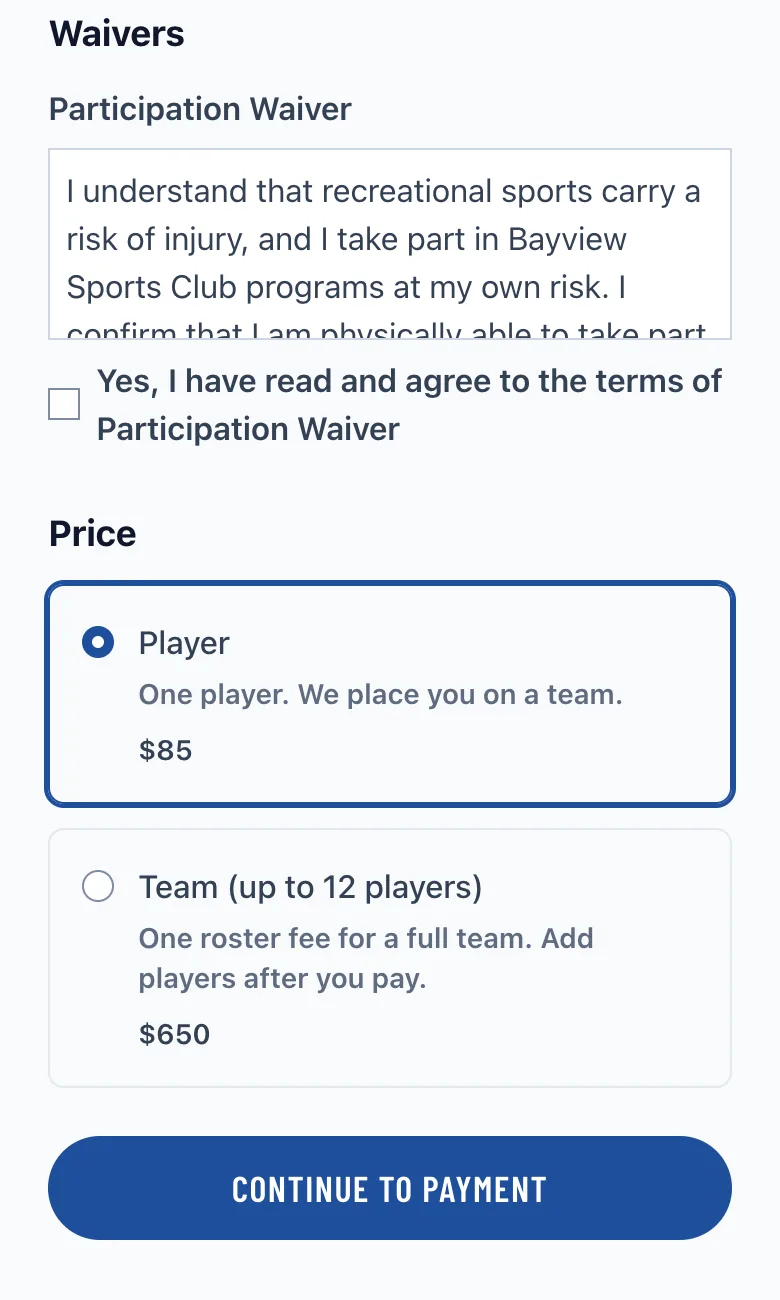
If players should only sign the same waiver once for your club, open the waiver from Dashboard > Waivers and enable Allow returning players to reuse this waiver.
When enabled, future registrations, memberships, and reservations for the same organizer can reuse an accepted signature for that same waiver. Returning players will see that the waiver is already satisfied instead of being prompted to sign it again.
Reuse only applies to that exact waiver. If you create a new waiver, players will need to sign the new one.
For upload-sign waivers, reuse starts only after you verify the uploaded document.
Player can upload forms
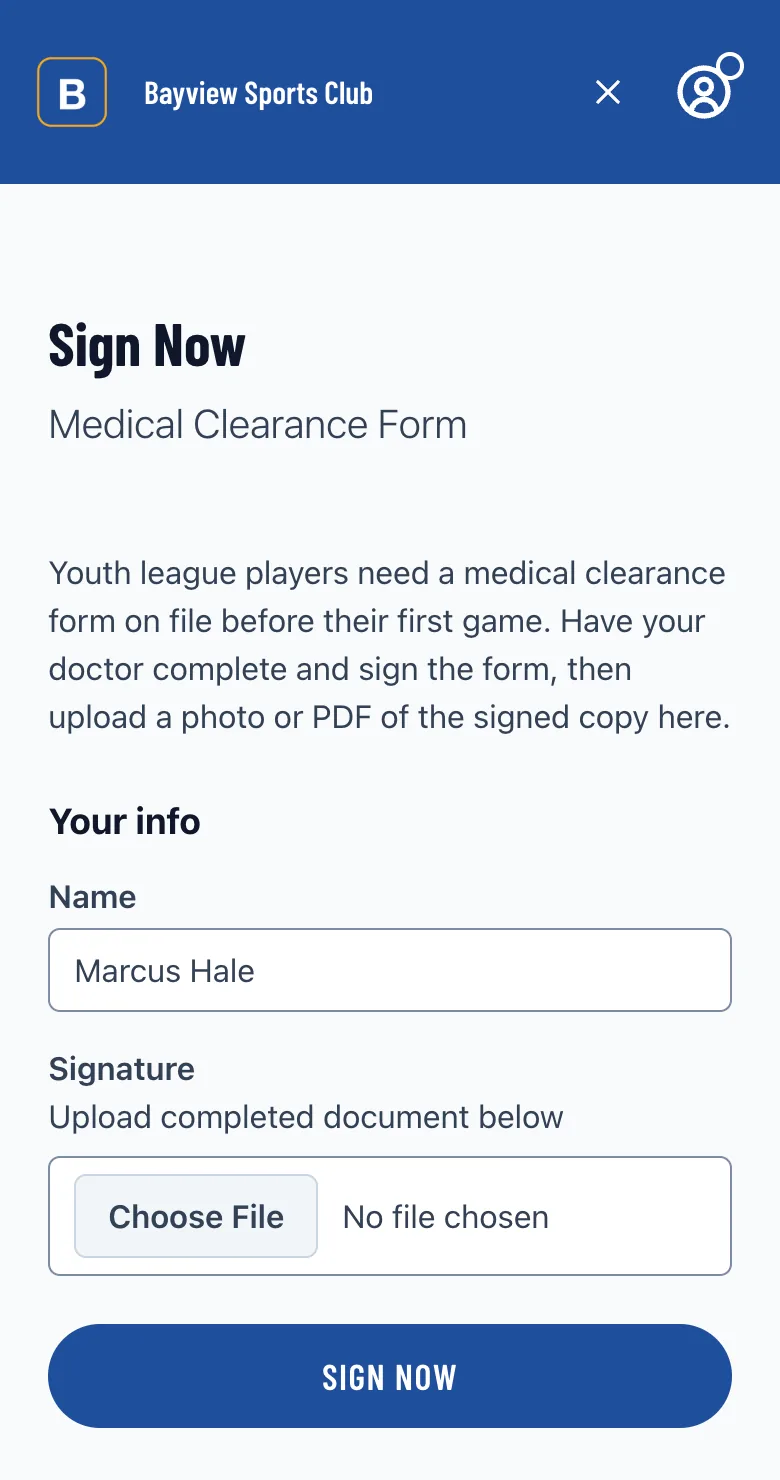
In addition to checking a box or typing their initials, you can have players upload a completed form.
Used like this, Waivers can help you collect other signed documents and completed forms.
Verify uploaded content
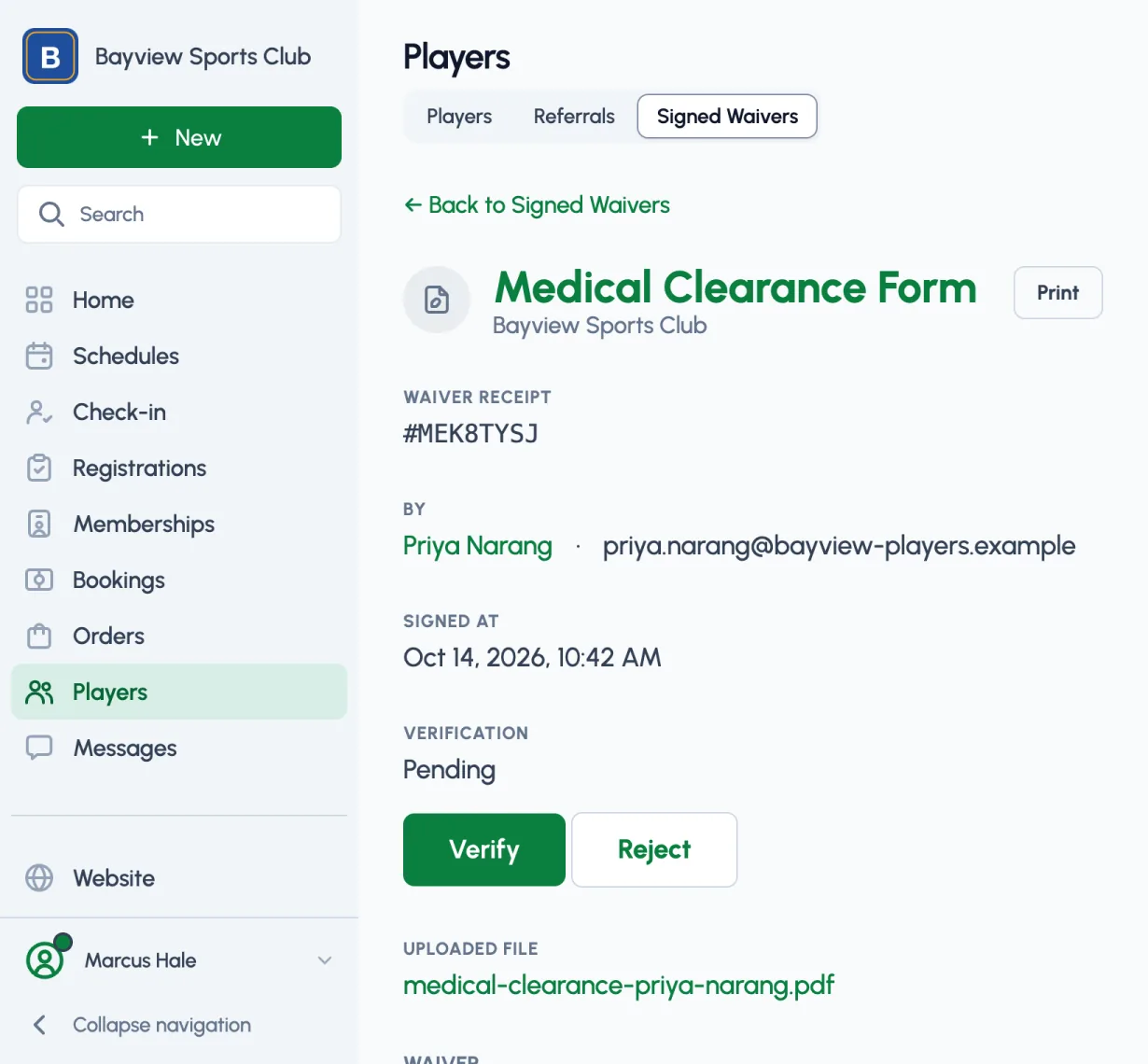
After they've signed your waiver you can verify their information: open the signed waiver from Dashboard > Players > Signed waivers and click Verify or Reject. Your player's signed waiver file is encrypted and securely stored online.
What's next?
- Create and manage waiver templates from Dashboard > Settings > Waiver templates. Signed waivers live under Dashboard > Players > Signed waivers.
- Learn about creating a registration activity to accept online registrations
- Learn about setting up online payments with Stripe to accept payments online
- Learn about creating a referral program to reward members for inviting friends
- Learn about inviting staff members to help manage everything
- Learn about creating a schedule for your players and teams
- Learn about creating a website page to add more content
Running a league or program?
See how Playpass can help you manage it all